
YouTube Video Dimensions: The Complete Size Guide
YouTube video dimensions describe the size of a video in pixels. The standard is 1920 by 1080 pixels. That is called 1080p, or Full HD. It uses a 16:9 widescreen shape. This is the size most creators use.
Have you ever uploaded a video that looked blurry or boxed-in? The wrong size is often the reason. A 16:9 shape fills the screen cleanly. Shorts use a tall 9:16 shape. Once you pick the right size, your video looks sharp.
The standard video is 1920 by 1080 pixels. Shorts are 1080 by 1920 pixels. YouTube also supports 4K and even 8K. Thumbnails use 1280 by 720 pixels. These facts make YouTube video dimensions easy to understand.
YouTube Video Dimensions in Different Units
YouTube measures video in pixels, listed as width by height. The standard is 1920 × 1080 (1080p), a 16:9 shape. Long-form video uses 16:9 (1920×1080), while Shorts use 9:16 (1080×1920). Here’s how the common sizes break down.
| Resolution | Dimensions (px) | Aspect Ratio | Notes |
| 1080p (Full HD) | 1920 × 1080 | 16:9 | The standard |
| 4K (UHD) | 3840 × 2160 | 16:9 | High quality |
| 1440p (2K) | 2560 × 1440 | 16:9 | Sharp mid-tier |
| 720p (HD) | 1280 × 720 | 16:9 | Lighter files |
| Shorts (vertical) | 1080 × 1920 | 9:16 | Phone-first |
| 8K | 7680 × 4320 | 16:9 | Max supported |
1080p (1920×1080) is the minimum for standard videos, and 4K (3840×2160) is worth it if your content benefits. The 16:9 shape fills modern screens with no black bars, which is why it’s the default.
Quick Reference Table
Want the fast version? This chart shows the key YouTube dimensions and when to use each. All specs follow YouTube’s current recommendations.
| Element | Dimensions (px) | Ratio | Best For |
| Standard video | 1920 × 1080 | 16:9 | Most uploads |
| 4K video | 3840 × 2160 | 16:9 | Premium content |
| 1440p video | 2560 × 1440 | 16:9 | Sharp, smaller than 4K |
| 720p video | 1280 × 720 | 16:9 | Fast uploads |
| Shorts | 1080 × 1920 | 9:16 | Vertical clips |
| Thumbnail | 1280 × 720 | 16:9 | Video preview |
| Channel banner | 2560 × 1440 | 16:9 | Channel art |
| Square video | 1080 × 1080 | 1:1 | Cross-posting |
| Vintage (4:3) | 1440 × 1080 | 4:3 | Old footage |
12 YouTube Dimensions and Formats Explained
Here are 12 common YouTube sizes and formats, each with what it’s for and when to use it. This helps you pick the right dimensions without guessing.
1080p — The Standard (1920 × 1080)
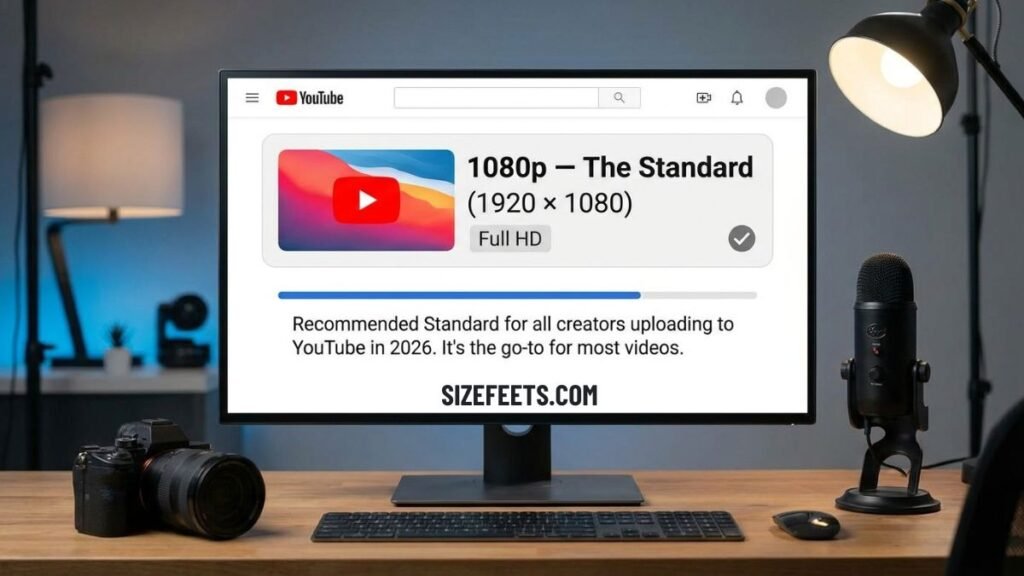
The most common size is 1920 × 1080 pixels, called 1080p or Full HD. This Full HD resolution with a 16:9 aspect ratio is the recommended standard for all creators uploading to YouTube in 2026. It’s the go-to for most videos.
The 1080p size looks sharp on phones, laptops, and TVs, and uploads faster than 4K. It’s the minimum YouTube suggests for good quality. Because it balances sharpness and file size, it’s the default for tutorials, vlogs, and talking-head videos. Uploading 16:9 at native resolution is the 2026 default for long-form content. If you’re unsure which size to pick, 1080p is the safe, reliable choice for almost any video.
4K — Ultra HD (3840 × 2160)
The 4K size is 3840 × 2160 pixels, four times the detail of 1080p. It uses the same 16:9 shape but packs in far more pixels for a crisp image. It’s the top choice for high-quality content.
4K looks stunning on large screens and TVs, but the files are much bigger. A 4K video can take up to 4 times longer to upload than a 1080p one. Interestingly, uploading in 4K even if your video is 1080p can improve final playback quality due to YouTube’s encoding. This is because YouTube allocates a higher bitrate to 4K files during encoding. It’s best for travel, food, and product videos.
YouTube Shorts — Vertical (1080 × 1920)
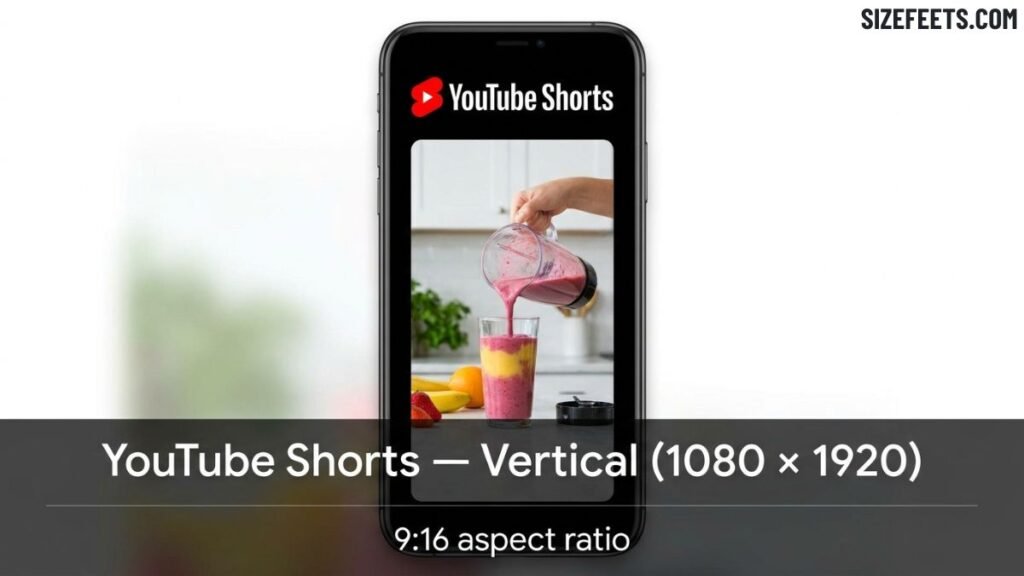
YouTube Shorts use a vertical 1080 × 1920 pixels, a 9:16 shape. This is the tall, phone-first format made for quick clips. Shorts use 9:16 (1080×1920), while long-form uses 16:9.
Shorts fill a phone screen top to bottom, matching how people hold their phones. YouTube Shorts can now run up to 3 minutes, an increase from the original 60-second cap. If you upload a 16:9 video to Shorts, it plays with large pillarboxes and is treated as a regular long-form upload, not a Short. To post a true Short, you must export at 9:16 first. The same 1080 × 1920 file also works on TikTok and Instagram Reels.
Read Also: Standard Left Chest Logo Size: Full Placement Guide
720p — HD (1280 × 720)
The 720p size is 1280 × 720 pixels, a lighter HD option in the 16:9 shape. It has fewer pixels than 1080p but still looks decent on smaller screens. It’s good for faster uploads.
720p was the old HD standard, and it’s still fine for simple videos or slow internet. The files are smaller, so they upload and process quickly. Because 720p, 1080p, and 4K all share the 16:9 shape, each step up simply packs in more pixels for a sharper image, not a different shape. For most creators today, 1080p is worth the small extra upload time, but 720p works when speed or file size matters most.
1440p — 2K (2560 × 1440)
The 1440p size is 2560 × 1440 pixels, often called 2K. It sits between 1080p and 4K, offering extra sharpness without the huge file size of 4K. It uses the 16:9 shape.
1440p looks noticeably crisper than 1080p on bigger monitors, and it uploads faster than 4K. It’s a smart middle option for creators who want more detail but shorter processing times. Gamers often use 1440p, since many PC monitors run at this resolution. If your camera or screen recorder captures 1440p, it’s a solid choice that improves quality while keeping files more manageable than full 4K uploads.
8K — Maximum (7680 × 4320)
The 8K size is 7680 × 4320 pixels, the highest YouTube supports. YouTube supports resolutions up to 8K (7680×4320). It’s four times the detail of 4K, but very few people need it.
8K files are enormous, so they take a long time to upload and need a powerful computer to edit. Very few viewers own 8K screens, so the extra detail is often wasted. This resolution is mostly for pro filmmakers and future-proofing footage. For nearly all creators, 4K is more than enough. 8K is best saved for special projects where the highest possible quality truly matters and your gear can handle it.
The Thumbnail (1280 × 720)
A YouTube thumbnail is 1280 × 720 pixels, a 16:9 image that previews your video. Thumbnails use 16:9 at 1280×720 minimum, up to 4K. It’s the picture people click on.
Thumbnails matter a lot, since they help decide whether someone clicks your video. The 1280 × 720 size matches the video’s 16:9 shape, so it displays cleanly everywhere. Use bold text and clear images, since thumbnails show up small in search and feeds. Because it shares the standard widescreen ratio, a thumbnail is easy to design from a video frame or a custom graphic sized to these dimensions.
The Channel Banner (2560 × 1440)
A YouTube channel banner is 2560 × 1440 pixels, the wide image at the top of your channel. It’s the largest image on your page, so it needs a high resolution to look sharp on TVs and desktops.
The banner shows differently across devices, so a “safe area” in the center of about 1546 × 423 pixels holds your key text and logo. Anything outside that zone may get cropped on phones or tablets. Because the banner spans big screens, uploading it at the full 2560 × 1440 size keeps it crisp. Always double-check the current safe-area guidelines in YouTube’s help pages, since layout details can change.
Square Video — 1:1 (1080 × 1080)
A square video is 1080 × 1080 pixels, a 1:1 shape. Other aspect ratios like 1:1 (square) are supported, though 16:9 and 9:16 are the only ones YouTube explicitly recommends. It’s used mainly for cross-posting.
Square videos take up more space than widescreen in phone feeds, which is why they’re popular on Instagram and Facebook. On YouTube, a 1:1 video plays with side bars on desktop, since the player is 16:9. Because of this, square isn’t ideal for YouTube alone. But a 1:1 square video still works for some cross-platform campaigns. If you post the same clip across many apps, square can be a flexible middle-ground shape.
Vintage 4:3 (1440 × 1080)
A 4:3 video is close to square, often 1440 × 1080 pixels. This older TV shape has more height than widescreen. It’s mostly used for retro or archival footage.
A 4:3 YouTube video mainly suits vintage footage. On modern screens, YouTube displays 4:3 videos with black bars on the sides, since the player is 16:9. This is called pillarboxing. Because of the bars, 4:3 isn’t a good choice for new content. But if you’re uploading old home videos or classic clips shot in this format, keeping the original 4:3 shape preserves how they were meant to look.
Lower Resolutions (854 × 480 and 640 × 360)
Lower resolutions include 854 × 480 (480p) and 640 × 360 (360p), both in the 16:9 shape. Resolutions range from 240p up to 4320p (8K), so these sit near the bottom.
These small sizes have soft, less detailed images, but the files are tiny and stream easily on slow connections. YouTube automatically creates lower resolutions from your upload, so viewers on weak internet can still watch. You rarely need to upload at these sizes yourself. They mostly serve as fallback options that keep videos playable when a viewer’s connection can’t handle 1080p or higher, all generated behind the scenes.
The 16:9 Aspect Ratio (The Shape)
The 16:9 aspect ratio is the shape behind most YouTube sizes. It means 16 units wide for every 9 tall, giving a wide rectangle. Standard YouTube videos use a 16:9 aspect ratio.
This shape fills modern screens perfectly. Modern monitors, most laptop screens, and televisions are all built around this ratio, so your video fills the frame cleanly. Aspect ratio and resolution are different: the ratio is the shape, and the resolution is the pixel count inside it. That’s why 720p, 1080p, and 4K all share 16:9 but differ in sharpness. Getting the ratio right matters most, since a wrong shape causes bars or cropping.
How to Set the Right YouTube Dimensions
Not sure your video is sized right? These simple steps help you get the dimensions correct before uploading.
Match Your Export to the Format
Start with your editing software. For long-form video, export at 1920 × 1080 (16:9). For Shorts, export at 1080 × 1920 (9:16). Most editors have a preset for each, so pick the right one before exporting. The 2026 default is 16:9 at native resolution for long-form and 9:16 at 1080×1920 for Shorts. Getting the export shape right avoids black bars and cropping, which is the most common upload mistake.
Upload at the Highest Quality
Always start with a high-quality source file. Export at 1920×1080 (1080p) minimum, with 1440p or 4K better if your source supports it. Uploading a high-quality source file helps avoid blurry uploads, since YouTube compresses every video. A sharper starting file means a better final result after compression. If your camera shoots 4K, uploading in 4K can improve playback even for viewers watching in 1080p, thanks to YouTube’s encoding.
Use the Right File Format
The file format matters too. MP4 with the H.264 video codec and AAC audio is recommended for the best compatibility and processing speed. YouTube also accepts other formats like MOV and AVI, but MP4 processes fastest. Most editors export MP4 by default. Choosing this format helps your video upload smoothly and play well across all devices, avoiding errors or slow processing during the upload.
YouTube Dimensions vs. Other Platforms
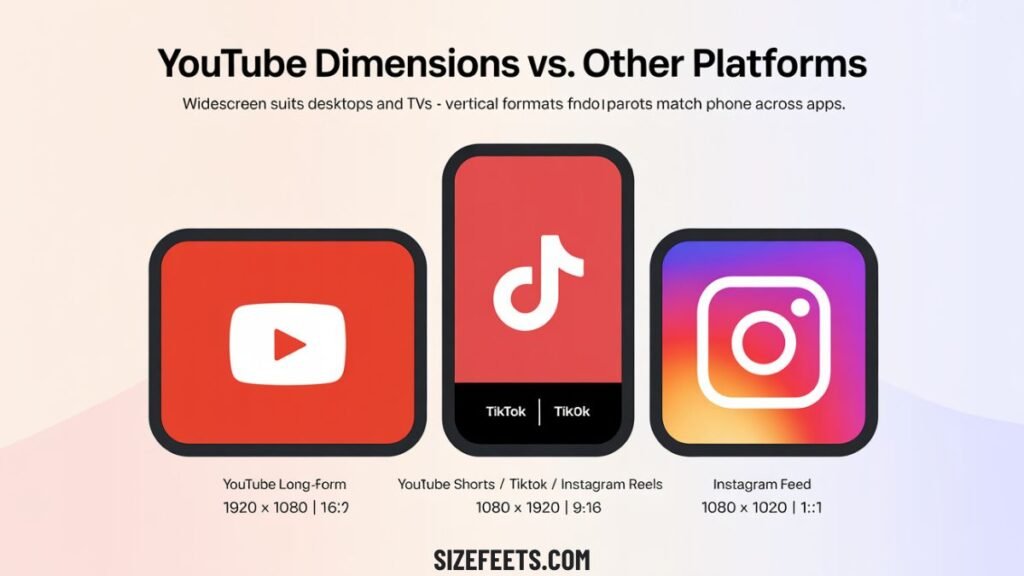
Seeing YouTube’s sizes next to other platforms builds a clear picture. YouTube long-form uses 1920 × 1080 (16:9). YouTube Shorts and TikTok both use 1080 × 1920 (9:16). Instagram Reels also uses 9:16, so a Short works there too. And Instagram feed posts often use 1080 × 1080 (1:1) or 1080 × 1350 (4:5). So YouTube’s widescreen suits desktops and TVs, while vertical formats match phones across apps.
| Platform / Format | Dimensions (px) | Aspect Ratio |
| YouTube long-form | 1920 × 1080 | 16:9 |
| YouTube Shorts | 1080 × 1920 | 9:16 |
| TikTok | 1080 × 1920 | 9:16 |
| Instagram Reels | 1080 × 1920 | 9:16 |
| Instagram feed | 1080 × 1080 | 1:1 |
Frequently Asked Questions
Is a YouTube video 1920×1080?
Yes, the standard YouTube video is 1920 by 1080 pixels (1080p). This is the recommended size, using a 16:9 widescreen shape.
What size is a 1920×1080 video frame?
A 1920 by 1080 video frame is 1920 pixels wide and 1080 pixels tall. That is Full HD, in a 16:9 aspect ratio.
Is 1920×1080 or 1280×720 better?
1920×1080 is better, with more pixels and a sharper image. 1280×720 has smaller files and uploads faster, but looks softer.
Is YouTube 16:9 or 4:3?
YouTube uses 16:9 as its standard shape. It supports 4:3, but shows those videos with black bars on the sides.
Is 1920×1080 a 4:3 ratio?
No, 1920×1080 is a 16:9 ratio, not 4:3. A 4:3 video would be a shape like 1440 by 1080 pixels.
Should I upload in 4K or 1080p?
Upload in 1080p for most videos, since it looks sharp and uploads quickly. Choose 4K if your camera shoots native 4K and your content benefits, like travel or product videos. 4K takes up to four times longer to upload but can improve final quality, even for 1080p viewers.
Conclusion
Now you know the YouTube video dimensions and how to use them with ease. The standard video is 1920 by 1080 pixels, called 1080p. It uses a 16:9 widescreen shape. Shorts use a tall 1080 by 1920 pixels, a 9:16 shape. Thumbnails use 1280 by 720 pixels. These few numbers cover almost everything you need to know.
You can also pick the right size with a few simple tips. Export long-form video at 1920 by 1080 in 16:9. Export Shorts at 1080 by 1920 in 9:16. Always upload the highest quality your source allows. Use the MP4 format for the smoothest results. With these YouTube video dimensions in mind, your videos will always look sharp.
Related Guides:
1: Average Living Room Size: Typical Dimensions Explained
2: Garage Door Sizes Chart: Every Standard Dimension Explained (2026)
3: Staircase Dimensions in Feet: Standard Sizes Explained
4: King vs Cal King Dimensions: Full Size Comparison