
iPhone Wallpaper Size (2026): Exact Pixel Dimensions for Every Model
iPhone wallpaper size is the pixel size that fits your screen. It changes from model to model. Most current iPhones use 1179 × 2556 pixels. The biggest Pro Max uses 1320 × 2868 pixels. Matching this size keeps your background sharp and clear.
Have you ever set a photo and watched it turn blurry? The wrong size is often the cause. A too-small image gets stretched and soft. The right size fixes it fast. Once you learn your model’s size, your screen looks crisp every time.
Every iPhone has its own native resolution. Older home-button models use 750 × 1334 pixels. Newer 6.3-inch phones use 1206 × 2622 pixels. Most modern iPhones share a tall 19.5:9 shape. These sizes make your wallpaper fit with no crop or blur.
iPhone Wallpaper Size in Different Units
A wallpaper is measured in pixels, not inches. The best iPhone wallpaper size matches your screen’s native resolution exactly. Most modern iPhones share a tall 19.5:9 aspect ratio, which replaced the older 16:9 format starting with the iPhone X. Here’s how the key measurements break down.
| Measurement | Value | Notes |
| Common resolution | 1179 × 2556 px | Used by many current iPhones |
| Largest resolution | 1320 × 2868 px | iPhone 17 Pro Max, highest today |
| Aspect ratio | 19.5:9 | Standard on all Face ID iPhones |
| Pixel density | ~460 PPI | Sharp on Retina displays |
| Orientation | Portrait (tall) | Height is bigger than width |
| Best file format | PNG | Cleanest, no quality loss |
Because pixel density sits at about 460 PPI on modern models, your eye can’t spot the tiny dots. Matching the native size keeps every icon and image crisp.
Quick Reference Table
Want the fast version? This chart lists the exact wallpaper size for popular iPhone models. Find your phone, then use that pixel size for a perfect fit.
| iPhone Model | Wallpaper Size (px) | Screen | Best For |
| iPhone 17 Pro Max, 16 Pro Max | 1320 × 2868 | 6.9 in | Highest resolution today |
| iPhone 17, 17 Pro, 16 Pro | 1206 × 2622 | 6.3 in | Newest standard size |
| iPhone 16 Plus, 15 Plus, 15 Pro Max | 1290 × 2796 | 6.7 in | Big-screen models |
| iPhone 16, 15, 15 Pro, 14 Pro, SE (4th gen) | 1179 × 2556 | 6.1 in | Most common size |
| iPhone 14, 13, 13 Pro, 12, 16e | 1170 × 2532 | 6.1 in | Notch-era models |
| iPhone 14 Plus, 13 Pro Max, 12 Pro Max | 1284 × 2778 | 6.7 in | Older large screens |
| iPhone 13 mini, 12 mini | 1080 × 2340 | 5.4 in | Small modern iPhones |
| iPhone SE (2nd/3rd gen), 8, 7 | 750 × 1334 | 4.7 in | Home-button models |
| iPhone SE (1st gen), 5s, 5 | 640 × 1136 | 4.0 in | Oldest small iPhones |
iPhone Models and Their Exact Wallpaper Sizes
Here are the main wallpaper sizes grouped by resolution. Find the group your iPhone falls into, then match that size for a clean, sharp background.
iPhone 17 Pro Max — 1320 × 2868 Pixels
Read Also : What Weighs 1 Gram? 10 Tiny Everyday Objects
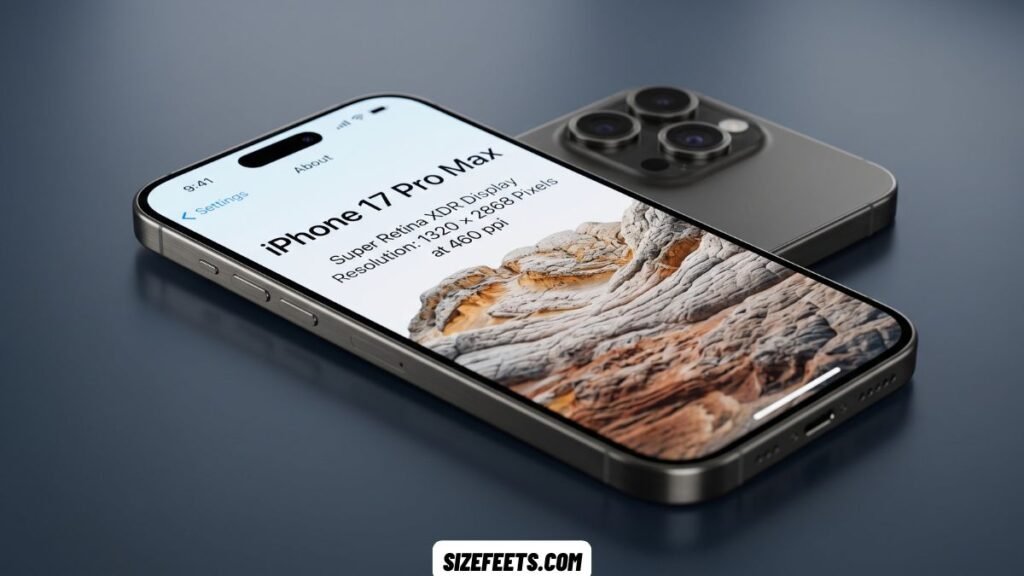
The biggest iPhones use a wallpaper size of 1320 × 2868 pixels. This covers the iPhone 17 Pro Max and the iPhone 16 Pro Max, both with a 6.9-inch screen. This is the highest resolution of any iPhone to date, so match it exactly for a razor-sharp look.
Apple moved to this size when it grew the Pro Max screen to 6.9 inches. The display is a Super Retina XDR OLED panel, which lights each pixel on its own for deep blacks and bright color. It runs at about 460 PPI, so the dots are invisible to your eye. Since this is the largest current size, an image made for it also shrinks down cleanly to smaller iPhones with no loss of quality. That makes it a smart choice if you want one file for many phones.
iPhone 17 and 16 Pro — 1206 × 2622 Pixels
The newest standard iPhones use a wallpaper size of 1206 × 2622 pixels. This covers the iPhone 17, the iPhone 17 Pro, and the iPhone 16 Pro, all with a 6.3-inch display. It’s the size many new buyers need, so it’s a handy one to remember.
This screen size arrived when Apple grew the base and Pro models to 6.3 inches. The iPhone 17 uses a 2622 × 1206 display at 460 pixels per inch with a 120 Hz ProMotion refresh rate, a feature that reached the non-Pro line for the first time. The panel supports an always-on mode, so a well-placed wallpaper still looks good when the screen dims. Keep your main image away from the Dynamic Island cutout at the top for the best result.
iPhone 16 Plus and 15 Plus — 1290 × 2796 Pixels
Read Also : How Much Is 10 Grams? 10 Everyday Objects That Weigh It
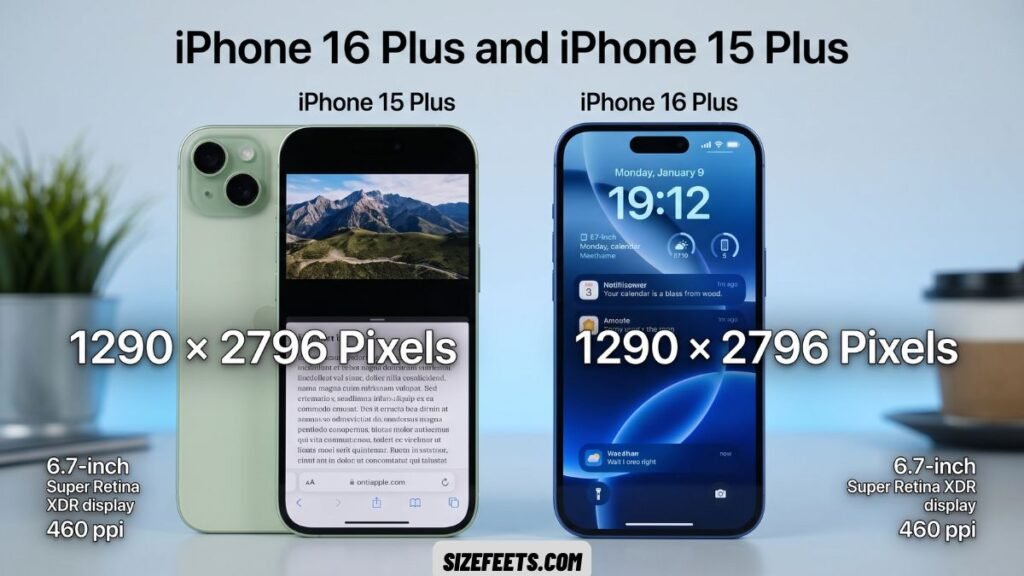
The large “Plus” and older Pro Max models use a wallpaper size of 1290 × 2796 pixels. This covers the iPhone 16 Plus, the iPhone 15 Plus, and the iPhone 15 Pro Max, all with a 6.7-inch screen. It’s a common big-screen size still used by millions of phones.
The iPhone 16 Plus has a 6.7-inch screen with a resolution of 1290 × 2796 pixels and a pixel ratio of 3. Many designers treat this as a “universal safe size,” since an image built at 1290 × 2796 scales cleanly to most other current iPhones. If you only want to make one wallpaper for several models, this is a solid pick. Export it as a PNG for the sharpest edges and truest color.
iPhone 16 and 15 — 1179 × 2556 Pixels
The most common wallpaper size today is 1179 × 2556 pixels. This covers the iPhone 16, iPhone 15, iPhone 15 Pro, iPhone 14 Pro, and the fourth-gen iPhone SE, all with a 6.1-inch display. If you’re not sure which size to use, this one fits the widest range of newer phones.
The current 6.1-inch standard runs at 1179 × 2556 at 460 PPI, and Apple even brought this format to the newest iPhone SE, giving that line an OLED screen for the first time. The 6.1-inch size has been the “regular” iPhone for years, so lots of people own one. Center your subject and keep it simple, so app icons stay easy to see over the top of the image.
iPhone 14 and 13 — 1170 × 2532 Pixels
The notch-era iPhones use a wallpaper size of 1170 × 2532 pixels. This covers the iPhone 14, iPhone 13, iPhone 13 Pro, iPhone 12, iPhone 12 Pro, and the iPhone 16e, all with a 6.1-inch screen. These models came just before the Dynamic Island arrived.
The iPhone 16e uses a 2532 × 1170 OLED display at 460 PPI, and its panel is identical to the iPhone 14. That’s why these phones share the exact same wallpaper size. They keep the classic notch at the top instead of the pill-shaped cutout. Leave a little clear space near the notch so your image looks balanced. This size is only a hair smaller than the 1179 × 2556 group, but matching it exactly avoids any tiny crop.
iPhone 14 Plus and 13 Pro Max — 1284 × 2778 Pixels
Read Also : How Big Is 10 Inches? 10 Everyday Objects to Picture It
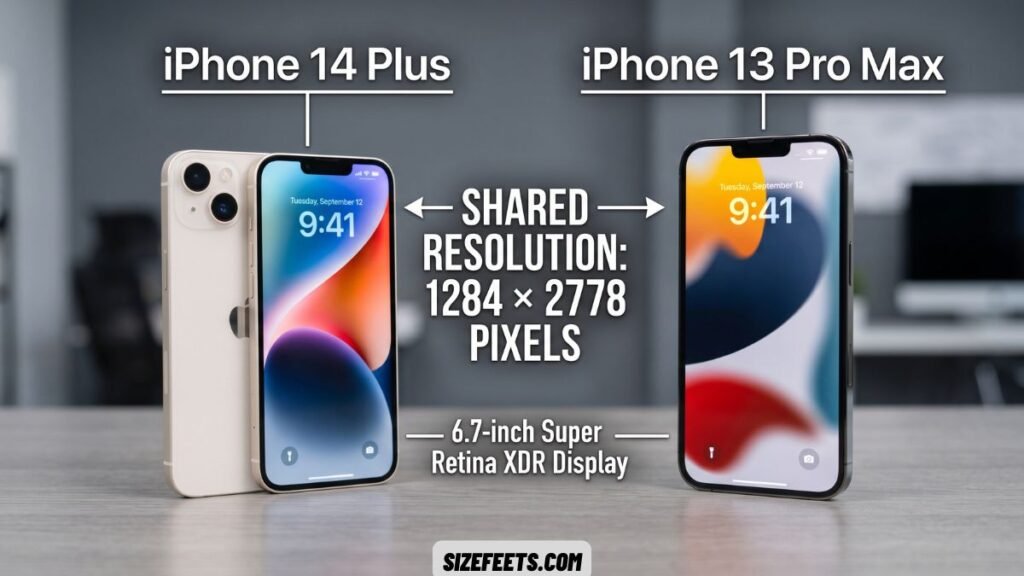
The older big-screen iPhones use a wallpaper size of 1284 × 2778 pixels. This covers the iPhone 14 Plus, iPhone 13 Pro Max, and iPhone 12 Pro Max, all with a 6.7-inch display. These were the largest iPhones of their day.
This size sits very close to the newer 1290 × 2796 group but is not the same. The small gap comes from the older notch layout on these models. Because the numbers are so close, an image made for the newer size will still work, though matching 1284 × 2778 exactly gives the cleanest fit. These phones use OLED screens at about 460 PPI, so a well-sized wallpaper still looks bright and crisp years later.
iPhone 13 mini and 12 mini — 1080 × 2340 Pixels
The small modern iPhones use a wallpaper size of 1080 × 2340 pixels. This covers the iPhone 13 mini and the iPhone 12 mini, both with a compact 5.4-inch display. These phones packed a full-size look into a tiny body.
The mini models used the same tall 19.5:9 shape as their bigger siblings, just scaled down. They still run OLED screens at about 476 PPI, which is a touch sharper than the larger models. Apple stopped making the mini after the iPhone 13 generation, but many are still in use. If you own one, match this exact size, since a bigger image will crop a lot on such a small screen.
iPhone SE and iPhone 8 — 750 × 1334 Pixels
The home-button iPhones use a wallpaper size of 750 × 1334 pixels. This covers the second- and third-gen iPhone SE, the iPhone 8, the iPhone 7, and the iPhone 6s, all with a 4.7-inch LCD screen. These are the classic models with a round home button below the display.
These phones use the wider, shorter 16:9 shape instead of the tall modern look. The LCD panel runs at about 326 PPI, which still looks clear at this smaller size. Because the screen is short and wide, a tall modern wallpaper will crop badly here. Use 750 × 1334 pixels for a proper fit. Many of these phones are still handed down or used as spares, so this size is worth knowing.
How to Resize an iPhone Wallpaper Without Photoshop
No design app? These simple methods help you get the right iPhone wallpaper size using free tools you already have.
Use a Free Online Editor
Free tools like Canva or Adobe Express let you set an exact pixel size in seconds. Open the editor and create a new design with a custom size. Type in your model’s wallpaper size, like 1179 × 2556, as the width and height. Drop in your photo, drag it to fill the frame, then export it as a PNG. This keeps the image sharp and stops any stretching or blur.
Crop It in the Photos App
Your iPhone can resize images on its own. Open the Photos app and tap Edit, then choose the crop tool. Pick a portrait shape that matches your screen, or crop by hand to a tall frame. This won’t hit the exact pixel count, but it lines up your subject and trims the extra edges. It’s the fastest fix when you just want a photo to fit without downloading anything.
Start With a 4K Image
A large image saves you from doing math. A safe trick for any device is a large 4K image, since your phone shrinks it down with no loss of quality. Pick a high-resolution photo that’s taller than it is wide. Set it as your wallpaper, then use the built-in zoom to frame it. Because the image is bigger than the screen, it stays crisp even after iOS scales it down.
iPhone Wallpaper Size vs. Other Screen Sizes
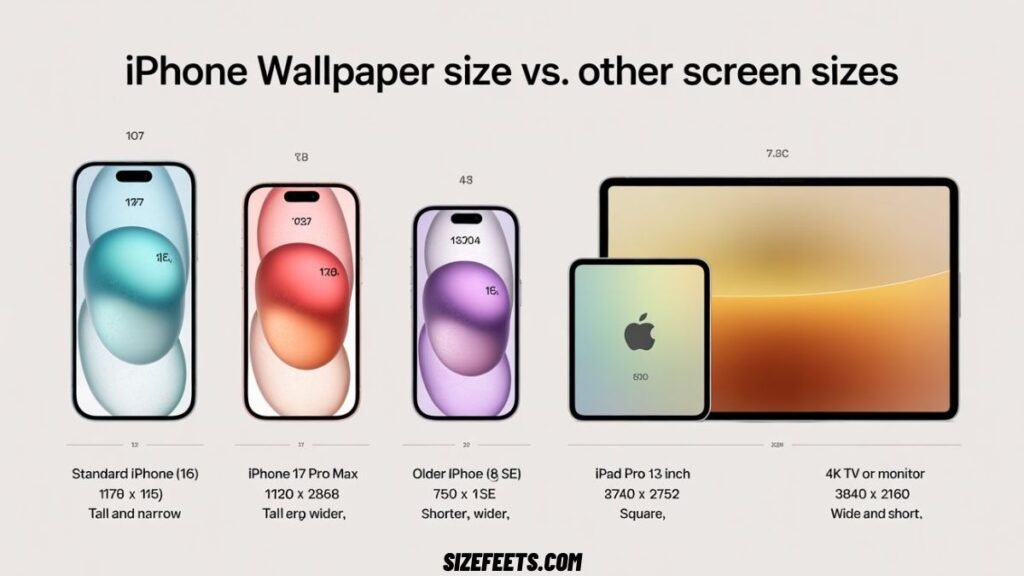
Seeing the iPhone next to other screens helps it make sense. A standard iPhone wallpaper is 1179 × 2556 pixels, taller than it is wide. An iPad Pro needs a much larger, more square image; some setups use about 2752 × 2752 pixels so it fits in both portrait and landscape. A 4K TV or monitor wallpaper is wide at 3840 × 2160 pixels, the opposite shape of a phone. And an older 16:9 iPhone, like the iPhone 8, uses a short, wide 750 × 1334 frame. So iPhone wallpapers are tall and narrow, while TVs and monitors are wide and short.
| Device | Wallpaper Size (px) | Shape | Notes |
| Standard iPhone (16, 15) | 1179 × 2556 | Tall and narrow | 19.5:9 aspect ratio |
| iPhone 17 Pro Max | 1320 × 2868 | Tall and narrow | Largest iPhone size |
| Older iPhone (8, SE) | 750 × 1334 | Shorter, wider | 16:9 aspect ratio |
| iPad Pro 13-inch | ~2752 × 2752 | Square | Fits portrait and landscape |
| 4K TV or monitor | 3840 × 2160 | Wide and short | Opposite shape of a phone |
Frequently Asked Questions
What is the wallpaper size for iPhone?
The iPhone wallpaper size depends on your model. Most current iPhones use 1179 × 2556 pixels, while the largest Pro Max uses 1320 × 2868 pixels.
Are iPhone wallpapers 9:16?
No, modern iPhone wallpapers use a taller 19.5:9 ratio, not 9:16. Only older home-button models like the iPhone 8 use the wider 16:9 shape.
Are iPhone screens 16:9?
No, most iPhone screens are not 16:9 anymore. Since the iPhone X, they use a taller 19.5:9 ratio. Only older home-button iPhones still use 16:9.
What ratio is an iPhone 16 wallpaper?
An iPhone 16 wallpaper uses a 19.5:9 aspect ratio at 1179 × 2556 pixels. This tall shape is standard on all modern Face ID iPhones.
How big is an iPhone 17 wallpaper?
An iPhone 17 wallpaper is 1206 × 2622 pixels on its 6.3-inch screen. The larger iPhone 17 Pro Max uses 1320 × 2868 pixels instead.
What aspect ratio is an iPhone wallpaper?
Most modern iPhones use a 19.5:9 aspect ratio, which is tall and narrow. This shape started with the iPhone X and replaced the older 16:9 format. Designing for 19.5:9 keeps your wallpaper compatible across nearly all current iPhones. Older home-button models still use the wider 16:9 shape.
Conclusion
Now you know the right iPhone wallpaper size and how to match it with ease. The size changes from model to model. Most current iPhones use 1179 × 2556 pixels. The big Plus and Pro Max models use 1290 × 2796 or 1320 × 2868 pixels. The newest 6.3-inch phones use 1206 × 2622 pixels. Matching your native resolution keeps every icon and image sharp.
You can also make one image work for many phones. Start with 1290 × 2796 pixels as a safe, near-universal size. Always export your picture as a PNG for the cleanest result. Keep the design simple so your app icons stay easy to see. With the correct iPhone wallpaper size in mind, your lock screen looks crisp with no blur or crop.

4 Comments